“Redesigning a time clock to be frictionless.”
For some time, I’ve been able to see the behind-the-scenes of our family business. Long before we’ve ever come onto the scene, the staff had all been working with a little time clock designed for small businesses. That time clock has been costing time and resources since the day we bought the business from the previous owner. For the employees, the system wouldn’t clock them in and out reliably. For us, logistically, what seemed to be such simple tasks as retrieving timesheets every pay cycle involved more steps than we needed. It was a process of:
- Physically accessing the time clock every pay cycle
- Plugging in a flash drive to the clock
- Access the timesheet menu
- Select the employees to request timesheets for
- Download the timesheets
- Unplug the drive
- Plug into PC
To add and remove employees, the current workflow was:
- Access the time clock
- Plug in a flash drive
- Download the employee list
- Make changes
- Re-upload the list back, and hope it isn’t malformed.
- Get the employee’s attention to register their passcode or fingerprint
Sometimes we’d have to diagnose cryptic errors, and they were usually at critical times. I’ve witnessed panic a few times when we lost our flash drive on timesheet downloading day. Not something I wanted to see when our administrative work was done from home.
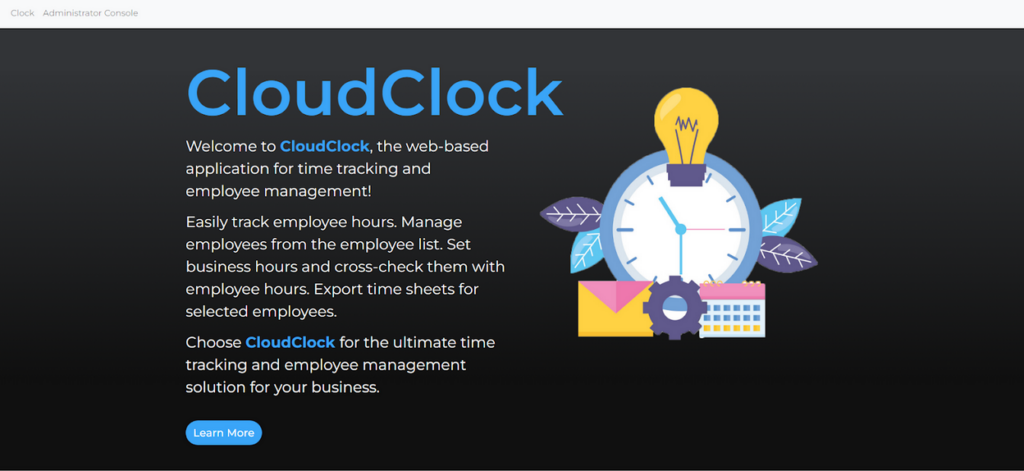
Seeing both sides of the coin, I looked at the situation and said “this isn’t working.” So, when this project course popped up, I made a team and we went to work to create a time clock designed for small businesses. Small business managers could easily sign up and deploy a time clock using any hardware, even the cheapest Android tablet or iPad on the market. For people that do the HR work at home, they could manage their business without touching the hardware, all from the cloud. Almost like a “Cloud Clock.”
We set our sights on building a functional proof-of-concept for this project. Knowing how the pay cycle works, and observing the existing workflow from the office and at home on pay week, we came to a few conclusions:
- Employees don’t want this system to get in the way. They just need to punch in and punch out in one step.
- Business hours are “set and forget” actions, since these rarely change if at all.
- There needs to be a way for the employer to quickly add and remove employees with minimal intervention from said employee.
- Timesheets must be easy to retrieve in batches.
We had to define these goals early so as not to introduce bloat for the minimum viable product. Our goal at the end of the day was to design vital functions such that they would never get in the way.
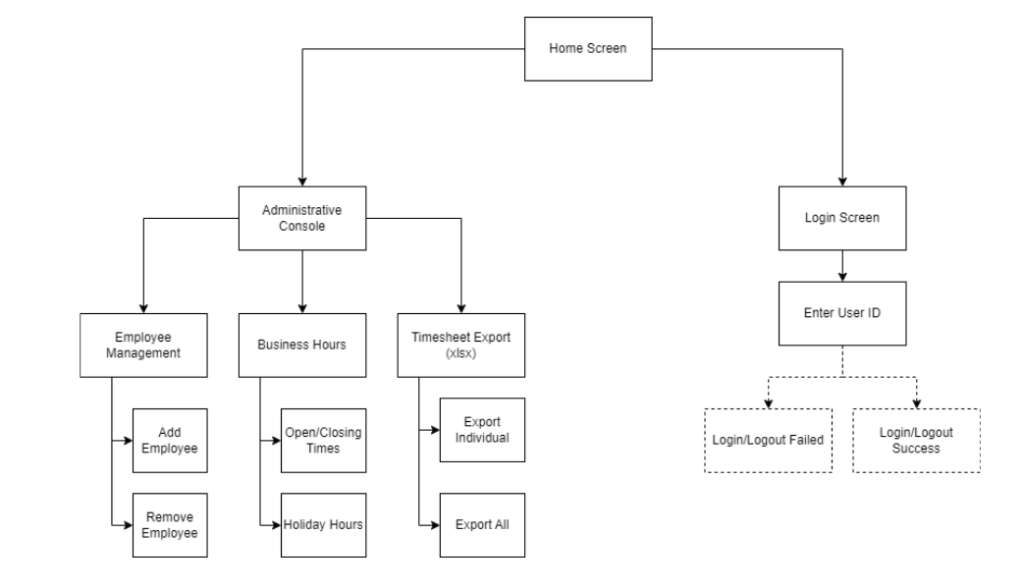
This app would have two sides to it: the login screen, meant to run on a cheap tablet, and the administrative console, where most of the action happens. These are completely separated from each other. We deliberately made it so we didn’t have to physically access the clock to retrieve information.
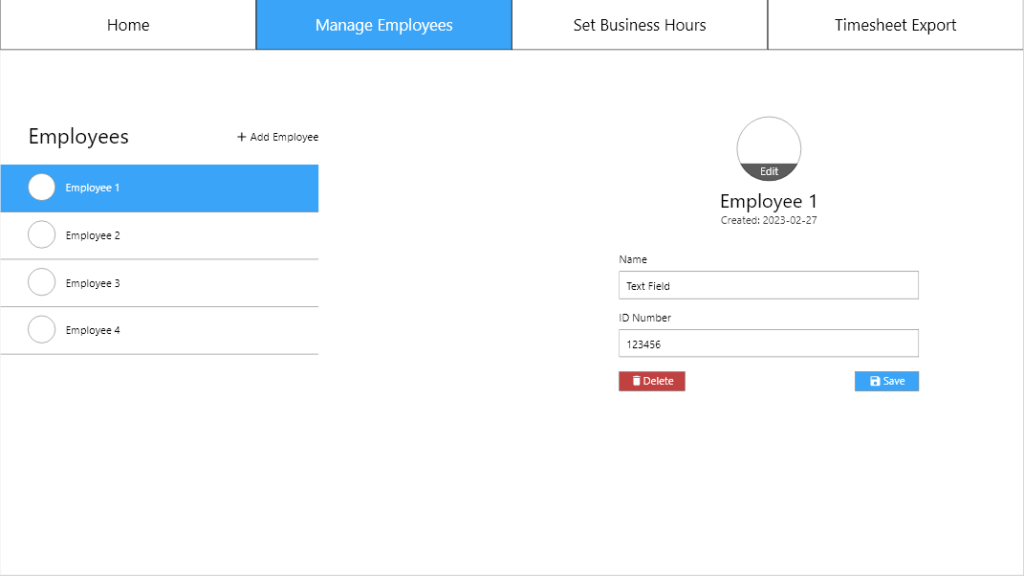
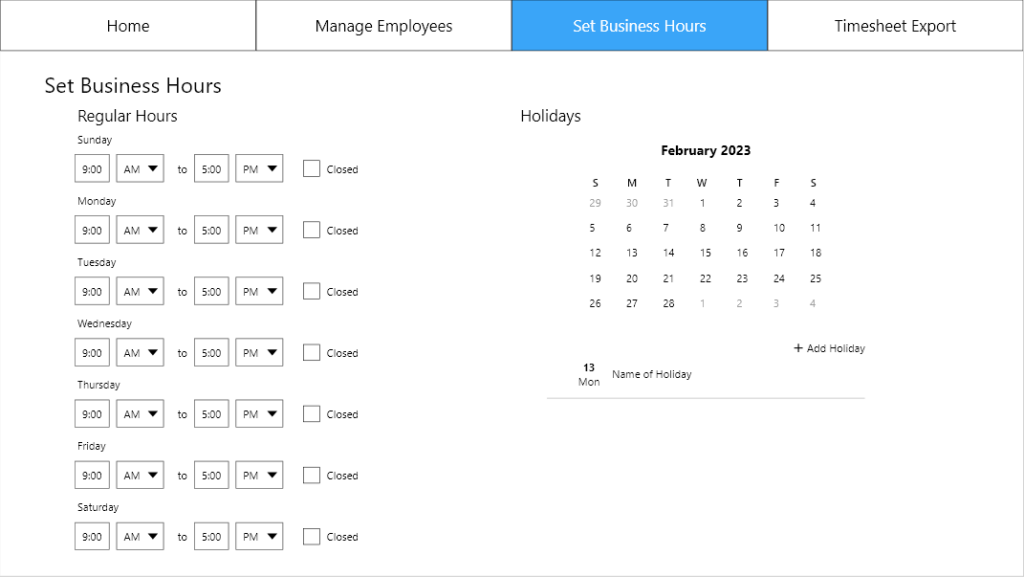
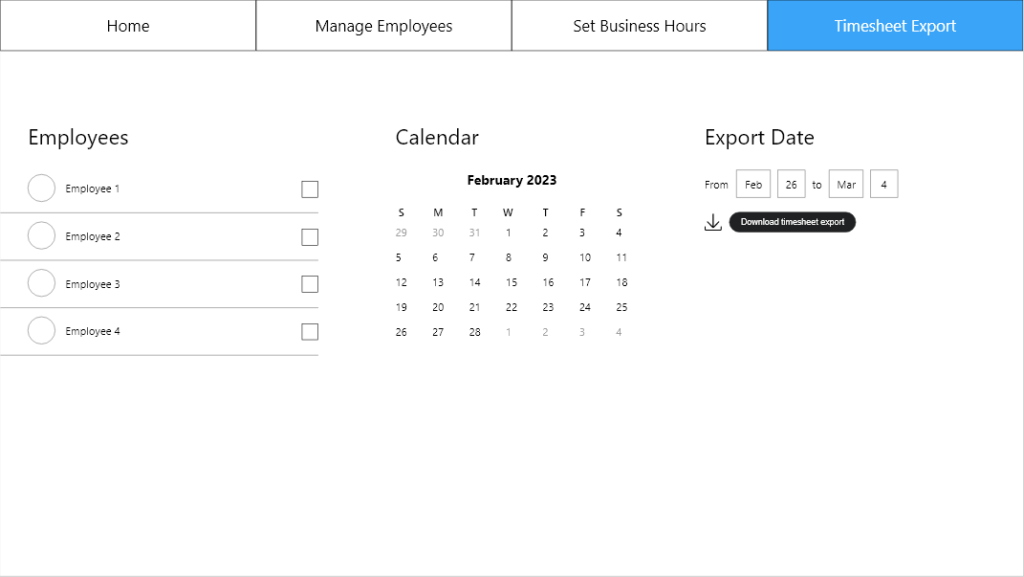
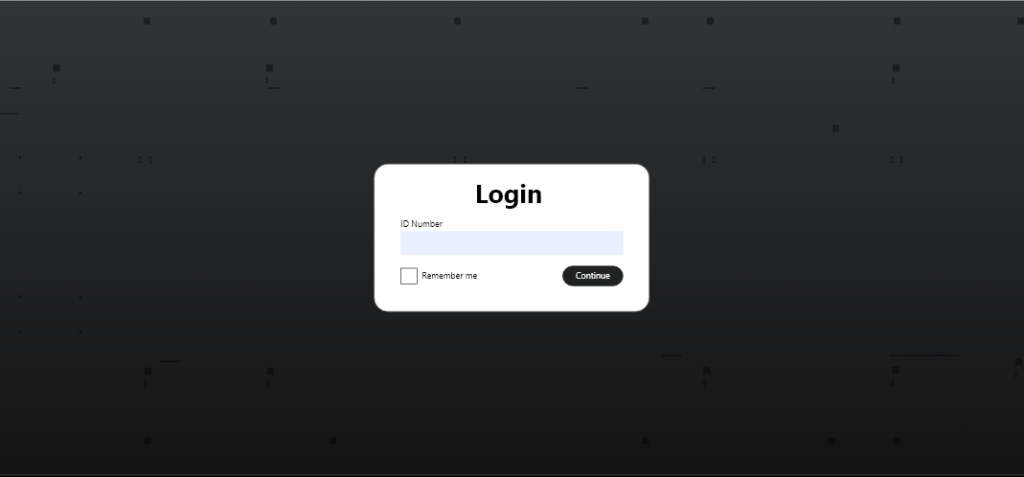
For the final MVP, some features were removed to time constraints, but while maintaining the original goal in mind. The MVP was developed using a Kotlin backend, and a Kotlin/React frontend using Bootstrap as a basis.
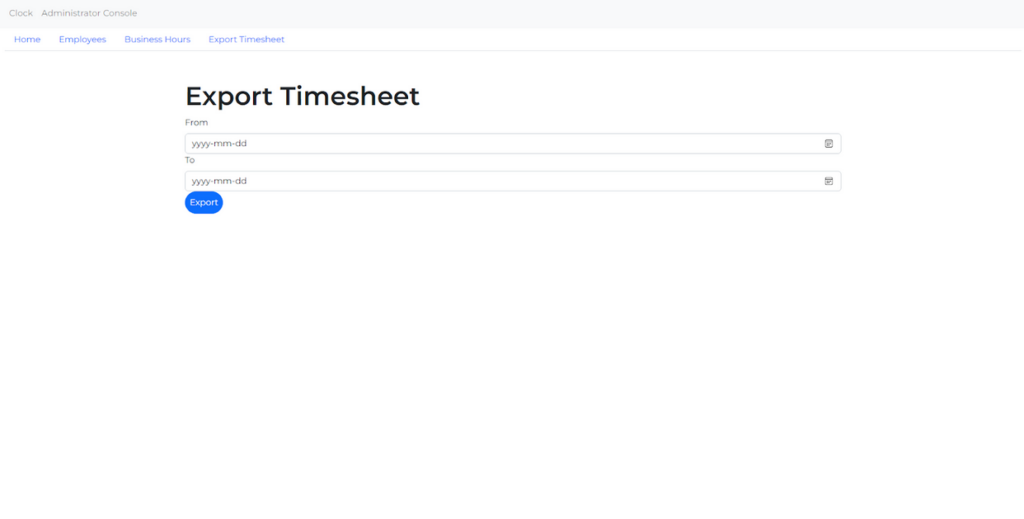
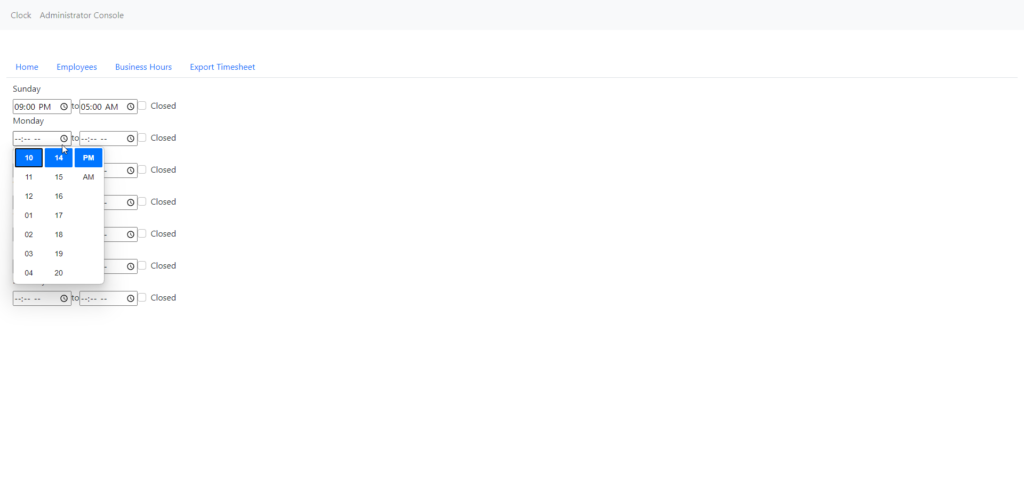
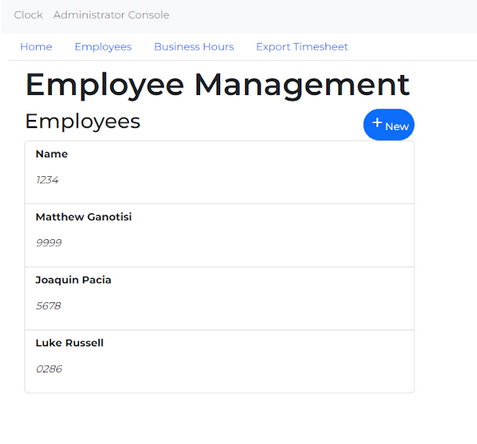
The project presentations happened to be scheduled at a time where I had to be away from the country, however it only bolstered our demo, as we were able to demonstrate clock functionality, and emphasize the fact that HR could really be done out of office.
Even at the programming skill level we possessed at the time, the user tests proved successful, with one particular comment raving the unambiguous nature of the app.